
Case study · Custom development
No app store. No password to forget.
Change Your State is a community wellness program run by Healthy Harrison in Harrison County, West Virginia — students and staff across the county committing to daily Eat, Mind, and Move habits, a few weeks at a time. We built the web app the whole program runs on, in partnership with the program’s creative agency, InnerAction Media. Nothing to download from an app store: open it in a browser or add it to a phone’s home screen, and sign in with just an email.

The app needs no store, no password
Industry: Community health / education
Type: Custom web app
Where: Harrison County, WV
Status: In beta testing
The problem
A good program stuck behind an app store.
Change Your State was already running — on a native app from the app stores. The idea worked; the delivery fought them at every turn. And if a student can’t get in during week one, the momentum is gone before the challenge starts.

Not every phone could install it
School-managed devices, locked-down stores, old phones, no family store account. Some schools could join and some couldn’t — so the same challenge ran unevenly across the district.

Every change waited on a review
Changing a daily tip, a date, or a label meant an app update and a store review cycle. The program couldn’t move at its own speed.
Passwords ate the staff’s time
Kids forgot them, adults never set them up, and the team spent challenge weeks resetting accounts instead of running the program.
Reporting was a manual chore
Schools and sponsors wanted participation numbers, and getting them out was hand-built every single time.
What we built
A web app that lets everyone in.
One application that lives on their own website at its own address — nothing to install, no app-store account. It behaves like an app when you want it to, and like a plain web page when you don’t.
On their site, on phones, tablets and computers
Participants open it in a modern web browser on a phone, tablet, or school laptop, or add it to a phone’s home screen and use it much like an app — icon, full screen, no browser bar.
Sign in without a password
Type your email, get a one-time link or short code, you’re in. Participants can stay signed in, so coming back to a challenge doesn’t mean starting over at a login screen. A password is an optional extra, not a requirement.
A QR code per classroom
Every school and class gets its own code that pre-selects the right group. A teacher drops it on a slide and the whole room signs up in a minute, with nothing to get wrong.

A daily ritual that celebrates
Pick your goals across Eat, Mind, and Move, then tap what you did each day. Finish the day and the screen celebrates; miss one and your streak stays honest about it.
A program the team runs itself
Challenges, daily tips, schools, participants, reports, and mass emails — all built and changed by the client, with no developer and no app-store release in the loop.
Reports that actually report
Enrollment funnel, activity by category, participation by school, leaderboard — computed live from real check-ins, sliceable by date and school, exportable to CSV.
A look inside
Three screens.
Screenshots from a local copy, not the live program — no real participant data.
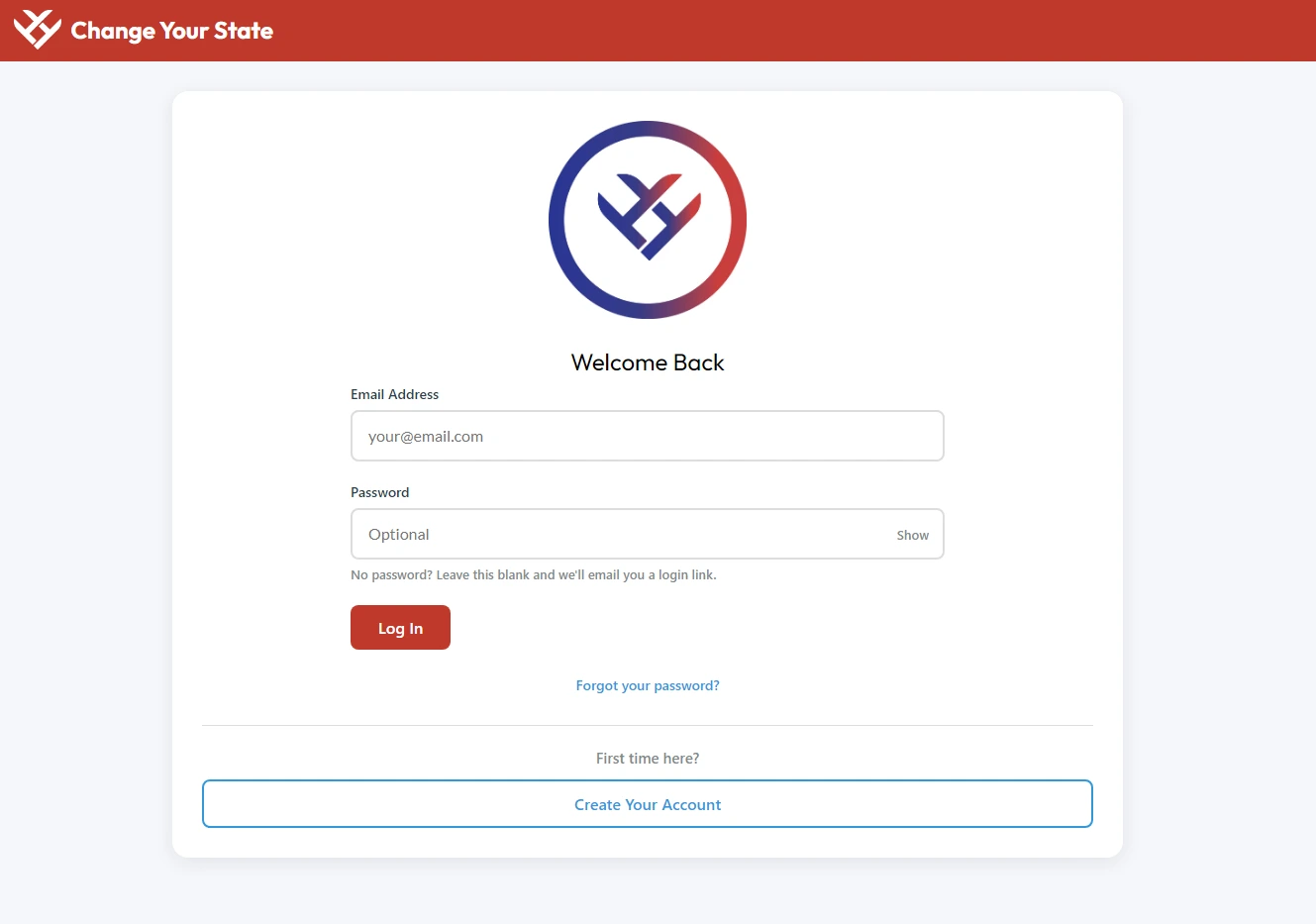
The whole pitch is getting in. Type your email and tap the link — the password field literally reads “Optional.” That one word is a passwordless design that survived a school district’s IT requirements.
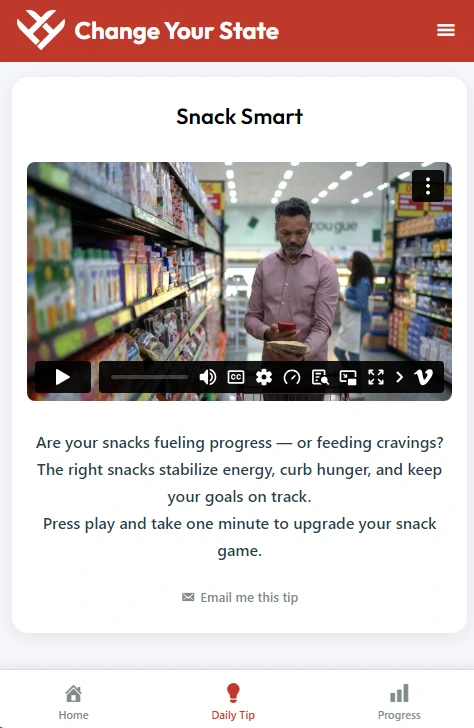
What a day looks like
Once a day, a participant opens the app to a single Daily Tip — a short video or note, with a student version and an adult version — then taps the goals they hit. Three buttons at the bottom: Home, Daily Tip, Progress. That’s the whole ritual.
We can’t show the check-in or the calendar heat map here — those screens carry real participant data — but that daily tap is the heartbeat of the program, and the reason participants can stay signed in instead of being asked to log in again.
The three categories: Eat · Mind · Move
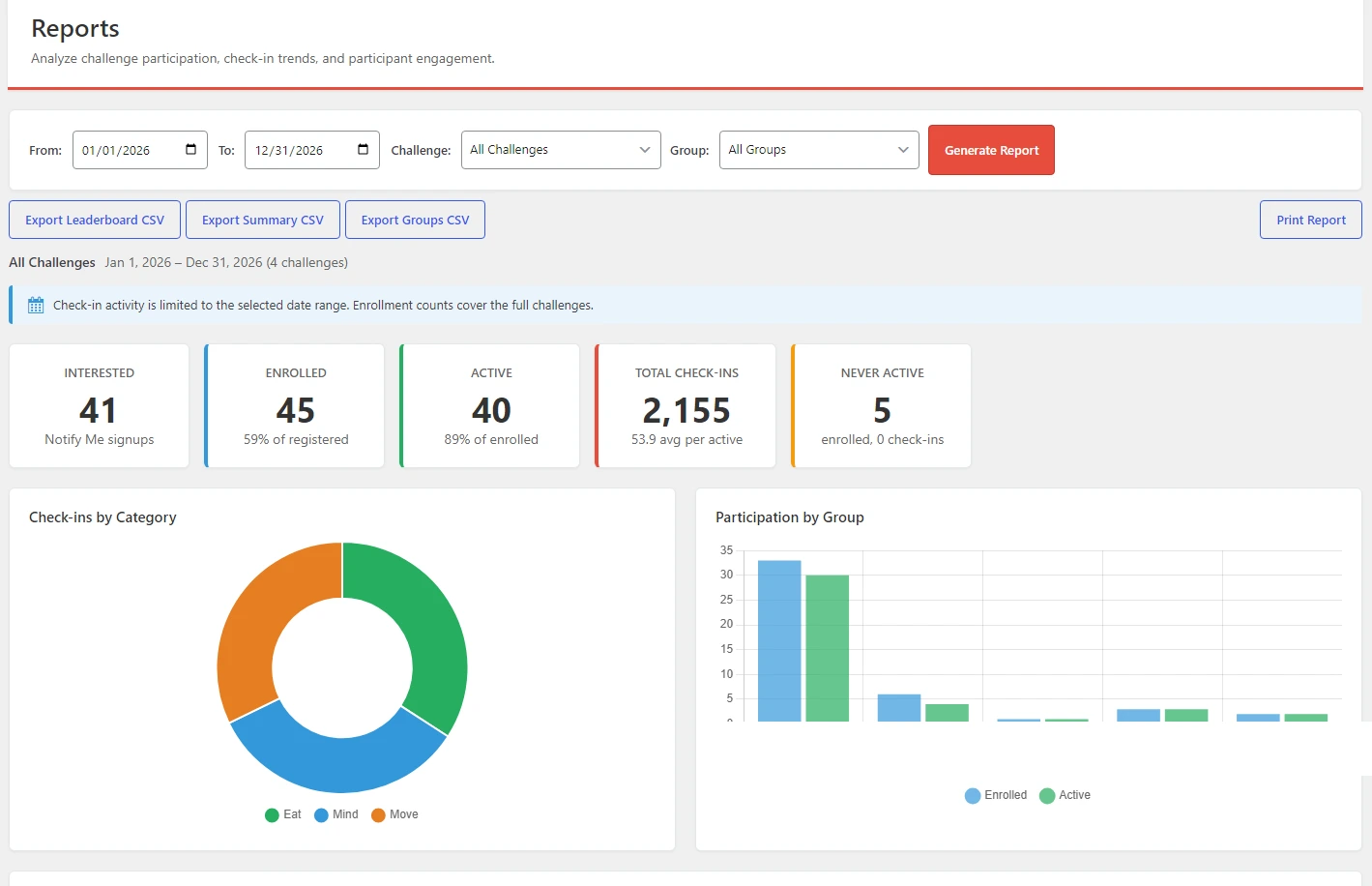
The reporting the old app couldn’t give them: an enrollment funnel, check-ins by category, and participation by school, all exportable. School names are hidden here, and the figures shown include a test group, so they aren’t real participation numbers.
What we figured out
The problems worth solving.
Three that took real thought to get right — the kind most case studies quietly leave out.
01
Passwordless, and password-friendly
We designed it to be passwordless on purpose — password resets were the old app’s biggest headache. Working alongside the school district’s IT team, a sensible requirement came up: for student accounts, they needed to bulk-load everyone from a spreadsheet and set a starting password. It made complete sense, so rather than choose one path over the other, we made passwords an optional layer on top of the passwordless design — the emailed link still works for everyone, a password is an extra a school can turn on, and imported students set their own the first time they sign in. Getting those two paths to feel like one seamless system was the satisfying part.
02
The site around it kept changing
Twice after launch, people reported “I press the button and nothing happens.” Once, the hosting company’s CDN was caching the app’s pages for 30 days, so a security token went stale. Another time, a third-party anti-spam tool someone added to the site was quietly holding sign-ups for a slow check. Neither was our bug — both were our problem. The app now fetches a fresh token on every load and turns any unexpected reply into a visible error instead of a silent one. An app that lives on someone else’s website has to assume that website will change.
03
Making a report mean something
“Show me January” sounds simple, but enrollment is a point-in-time fact and check-ins are dated activity — slice both by date and you get nonsense ratios. We settled on one clear rule (activity is sliced, enrollment is whole-challenge), a notice on every report that says exactly what you’re looking at, and one shared definition of a “week” so the on-screen chart and the CSV export never disagree.
Judgment
What we chose not to build.
As we see it, a good “no” protects the people using it
No native app
A web app on their own site removed the app-store problem. Because it lives with their existing web infrastructure, there is no separate native app, app-store account, or mobile codebase to maintain — a fraction of the ongoing cost and complexity of the previous iPhone app.
We kept passwordless as the default
When passwords were needed we added them beside the easy path, not in place of it, so the participant experience never got worse to satisfy an admin requirement.
No auto-enroll or auto-email on import
The person running an import is often a visiting IT tech, so we made those opt-in — the program owner makes the call.
No CAPTCHA
Spam protection is invisible scoring behind the scenes, because the audience is kids on school devices and a CAPTCHA is one more thing that fails.
From the beginning, our goal at Healthy Harrison has always been bigger than simply building another website or digital health resource — we wanted something that could actually engage people and give them a simple way to take meaningful steps toward better physical and mental health. Slight Revision took a big-picture idea and turned it into a digital experience that is functional, intuitive, and capable of growing alongside our organization. What impressed me most was their willingness to listen, solve problems, and keep refining the platform as our needs evolved.
The collaboration between Slight Revision, InnerAction Media, and Healthy Harrison has been a huge part of what made this successful. We don’t need vendors who simply complete a list of tasks — we need partners who understand what we’re trying to accomplish and are willing to help us figure out the best way to get there. They haven’t just helped us build a tool; they’ve helped us build infrastructure for where we want this organization to go.
John Paul Nardelli
Healthy Harrison · with InnerAction Media
Where it stands
How it’s holding up.
The platform is built, and the initial technical and school requirements have been cleared. Before it could return to student use in Harrison County schools, the district’s IT team reviewed it and gave us a list of requirements; we worked through them, made the changes, and received approval for student use. Healthy Harrison is now beta testing the rebuilt platform with adult community and workplace groups before expanding it more broadly. The program itself previously reached roughly 20–30 schools, so the new platform has an existing community to grow into rather than starting from zero. It started as a sign-up-and-check-in tool and has grown into the program’s operating system: bulk imports, per-school admin logins, mass email, and a full reporting suite were all added along the way, in response to how the program actually runs. We maintain it.
Phones, tablets & computers
Works across
0
App-store installs
Passwordless
Sign-in
For student use
IT-approved
Have an idea that’s bigger than a plugin?
Change Your State started as “make it work for everyone, without an app store.” If you’ve got an ambitious idea and need people at the table who aren’t intimidated by it, tell us what you’re trying to accomplish.